Song requests
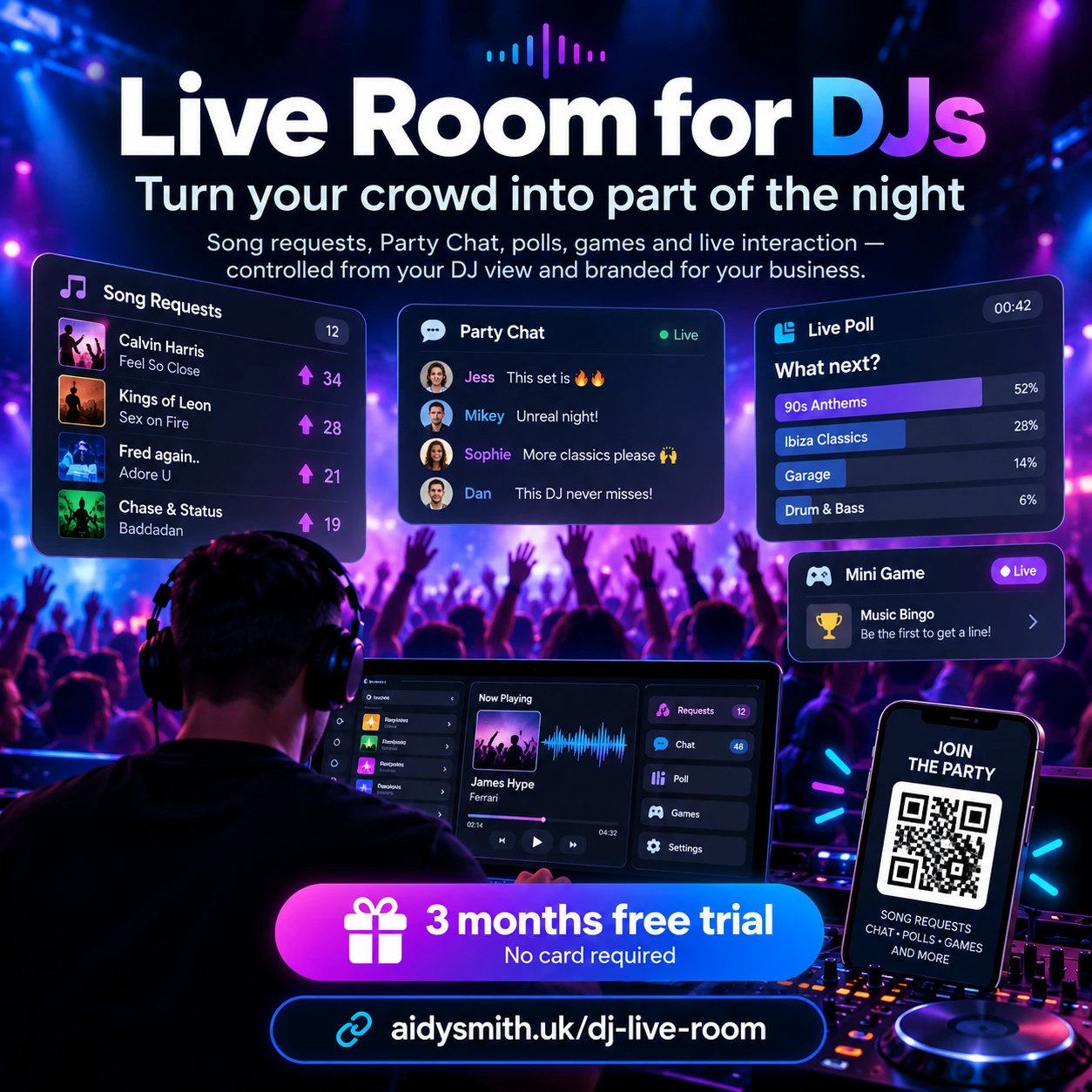
Guests send requests from their phones while the DJ sees a dedicated request queue instead of collecting notes, messages or people around the booth.
Give guests an interactive room for song requests, Party Chat, polls, Bingo and party games from their phones — while you stay in control from your private DJ dashboard.
Live Room gives guests one place to interact with the DJ throughout the event while you keep control of what is enabled, what is visible and who can moderate it.
Guests send requests from their phones while the DJ sees a dedicated request queue instead of collecting notes, messages or people around the booth.
A shared event chat with reactions, announcements and moderation controls. Turn it on only when it suits the event.
Ask the room what they want next and run quick audience votes without needing a separate polling service.
Run an interactive Bingo game inside the same guest room, including joining, number calling and winner handling.
Use Song Battle, Quick Fire, Spin the Wheel, Hype Meter, Party Awards, Mystery Moment, Team Battle and other optional event interactions.
Give the DJ or Event Host a quick way to publish event messages and approved shout-outs to everyone in the room.
See who is currently in the room, remove disruptive users and manage moderators without exposing your DJ controls to guests.
Rooms are tied to event start and finish times, with a visible countdown and closing behaviour at the end of the booking.
Tell guests to go to aidysmith.uk/join and enter the room code. A QR code is available as the quick-scan backup.
Guests only see the customer experience. Your DJ controls stay private, and you can optionally give the person running the event a separate Host link with limited event controls.
You do not give everyone the same link. Live Room separates the public experience from the operational controls.
The guest experience. The normal route is aidysmith.uk/join + the 5-digit room code. Scanning the QR skips the code screen and opens the same Customer Room instantly.
Your private view for the request queue, interactive features, room settings, moderation and event controls. Keep this link private.
A separate secure link you can give to the organiser or trusted host when you want them to help with supported announcements and moderation.
Add the event title, type, start and finish time and your DJ or business branding.
Tell the room: “Go to aidysmith.uk/join and enter the code.” Put the same code on a screen or table card, with the QR beside it for anyone who wants to scan.
Watch requests arrive, switch interactions on and off and use the functions that suit the crowd.
The countdown keeps guests informed and the room follows the event timing you set.
The first 3 months are free with no card required. After that you can use a one-off event credit or choose 30-day access. Paid passes do not renew automatically.
One Live Room event credit.
30 days of DJ Pro access. 30-day access; renew only when you want to.
30 days of White Label access. 30-day access; renew only when you want to.
White Label lets you add your own logo, use your business name and brand colour and remove the “Powered by Live Room” identity. Logo uploads support PNG, JPG, WEBP or GIF up to 5MB. If you replace an uploaded logo, the previous unused upload is cleaned up automatically.
API access is included during the 3-month free trial and with DJ Pro or White Label. Your website talks to the hosted Live Room service on aidysmith.uk — the actual room system stays hosted here. Guest-facing integrations can show the same 5-digit code and send everyone to aidysmith.uk/join.
GET events — list your Live Rooms.POST events — create a room from your own booking workflow.POST update — change event details.POST host-link — generate a fresh Event Host link.POST cancel / reactivate / delete — manage the room lifecycle.If your trial or eligible paid access expires, API access also expires. Your downloadable integration does not contain the Live Room application itself.
Three simple PHP templates are available once you want to connect your own site. They use your API key server-side and link back to your hosted Live Rooms.
Need a website or PHP hosting first? websitehosts.uk can provide hosting suitable for the starter templates.
Start with 3 months freeIt starts only when you press Start free trial after creating or signing into your DJ account. Creating the account does not start the countdown. No card is required.
The trial includes DJ Pro features, room creation, Customer/DJ/Host views and API access. White Label logo replacement and removal of the Live Room identity remain part of the White Label option.
No. There is no card requirement and there is no automatic charge when the trial finishes.
You can buy a Pay Per Event credit or choose a 30-day DJ Pro or White Label pass. Paid 30-day passes are manually renewed rather than automatically charged.
DJ Pro and White Label include a one-time renewal reminder during the final 3 days before the current access period expires.
The main instruction is simple: go to aidysmith.uk/join and enter the 5-digit room code shown by the DJ. The QR code is a quick backup that opens the same Customer Room immediately. Guests do not need the long room URL.
Yes. Live Room is browser-based. Guests visit aidysmith.uk/join, enter the 5-digit code and join from their phone, or scan the QR code.
Yes. The DJ controls which supported interactions are enabled for the event, so you do not have to run every feature at every booking.
White Label lets you use your own DJ or business identity, upload your own logo and remove the “Powered by Live Room” identity from supported customer-room branding.
No. The API and starter templates connect your website to the hosted Live Room service. They do not include the underlying room, request, chat, games or storage code.
Not at launch. Standard song requests are included. This avoids guest payments being routed through the wrong DJ’s payment account.
No card is required. Your trial clock does not start until you sign in and press Start free trial.
Sign in to create rooms, manage existing events, access DJ/Host links, generate an API key and view your current trial or paid access.